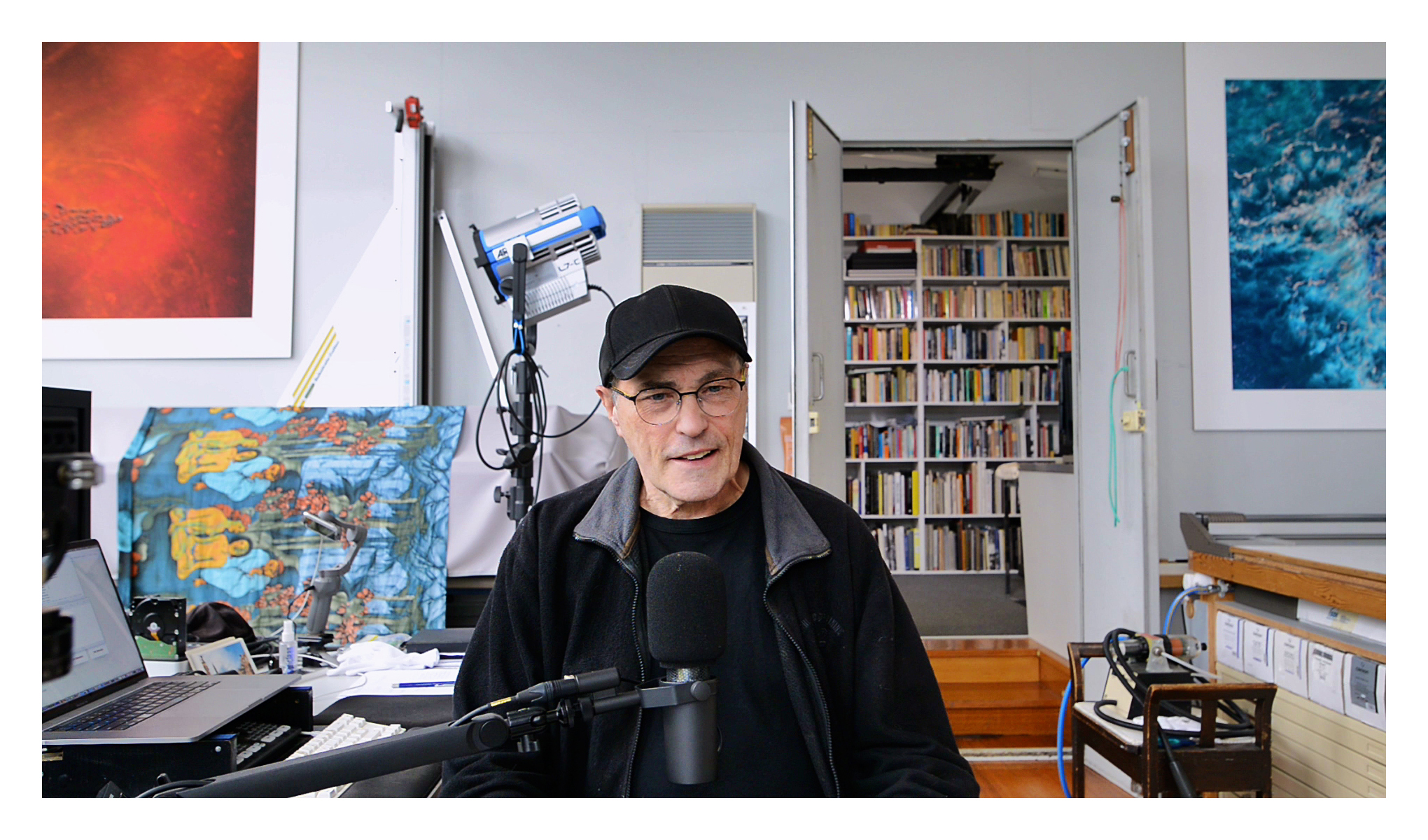
A short video on our ‘flipped-classroom’ where the course material is first studied via streamed on-demand delivery, and subsequently supported through our weekly Zoom tutorials where we go over
and clarify the course’s content, and answer all your follow-up questions.
Updated 19 October 2026
HOW CAN I STUDY WITH YOU?
You can study with us through our Online Courses, Zoom Tutorials, Mentoring and Production Consultations, Industry Specific Workshops, Studio Visits, and Email Correspondence. For more details please see our Education Overview.
WHO ATTENDS YOUR COURSES AND CONSULTATIONS?
A broad range of people enrol in our courses and book consultations for all sorts of reasons. Approximately a third are professional artists who want to seriously refine their technique, and/or want to know what is required to significantly expand their understanding, appreciation, and practice. Some are making the transition to digital processing or from basic to advanced digital processes. Approximately a third are enthusiasts supporting their interests and passion for all things photographic. And approximately a third are professional photographers seeking inspiration and wanting to up-skill or consolidate their technique, and to more efficiently integrate and facilitate their professional workflows.
HOW DO I ENROL IN A COURSE?
Course Bookings are via each Course’s webpage and as soon as we are notified of your payment we send an email with your Password and URL to the course’s resource website where you access all of the course content. The cost per person per course is AUD $350 payable by Credit/Debit Card, PayPal or Direct Bank Transfer and includes all fees and charges.
HOW DO I BOOK A CONSULTATION?
Production and Mentoring Bookings are via our Consultation Booking webpage and can be scheduled in any time zone and at anytime. Typical consultations run between two and three hours, and are recorded for you so you can review the content without any restrictions. The cost per consultation is capped at AUD $350 to ensure that all necessary topics are adequately addressed without concern for the time taken, and is payable by Credit/Debit Card, PayPal or Direct Bank Transfer, and includes all fees and charges.
WHAT CONSTITUTES AN ONLINE COURSE?
• Recordings – streamed on-demand sessions, tutorials, and videos
• Resources – downloadable course notes, test images, LUTs etc.
• Course Specific Support – bespoke printer/camera profiling etc.
• Tutorials – weekly Zoom tutorials.
WHO CAN ATTEND A ZOOM TUTORIAL?
Our current and past course and consultation participants can attend any of our weekly Zoom tutorials every Sunday from 10.30 am AEST/AEDT.
HOW CAN I ACCESS YOUR ONLINE COURSES?
Our courses are attended via streamed on-demand delivery for viewing at any time and in any time-zone at your own pace. They are presented as a ‘flipped-classroom’ where the course material is first viewed, and subsequently supported through our weekly Zoom tutorials where we clarify the course content and answer any follow-up questions. Some of our courses also include individual recorded one-on-one sessions – see each Course’s website for further details.
HOW LONG CAN I ACCESS THE COURSE MATERIAL?
Our extensive Resources (course notes, images, test images, targets, actions, macros, & LUTs) can be downloaded and saved for offline viewing without any restrictions, while our HD Recordings, plus Tutorials and other Videos can be streamed multiple times also without any restrictions. The Session Recordings, Tutorials and Videos can also be watched on different devices, but not simultaneously on more than one device at the same time.
WHAT ARE THE ADVANTAGES OF THE ‘FLIPPED-CLASSROOM’?
While streamed on-demand delivery provides maximum flexibility when and how you study with us and initially engage with our course material, the flipped-classroom’s weekly Zoom tutorials support a comprehensive adaptation and application of each workshop’s content to your evolving creative practice, while ensuring our time together is entirely devoted to addressing your interests, questions, practice, aims and ambitions.
TOO MANY DEVICES ARE USING THIS ACCESS CODE RIGHT NOW.
PLEASE WAIT 5 MINUTES AND TRY AGAIN?
If you receive this message, it means you are trying to login on a device (such as an iPad) without having first closed the login (tab or browser) on another device (such as a MacBook Pro), and the automatic swapping of devices can take up to five minutes. Therefore to avoid this inconvenience please ensure you are only logged in on one device (and browser) at a time.
I DON’T LIVE IN AUSTRALIA – CAN I STILL ATTEND ZOOM TUTORIALS?
You most certainly can with over 40% of our participants attending from outside of Australia. Our experience of working with overseas guests has been utterly wonderful despite the Time Zone differences. For example a 10.30 am start Australian Eastern Daylight time (AEDT) is 3.30 pm Pacific Standard Time (PST) the previous day (eg. Los Angeles or Vancouver), or 6.30 pm Eastern Standard Time (EST) the previous night (eg, Montreal or New York), but can also start as late as 11.30 pm (GMT) (eg. London) or 12.30 am Central European Time (CET) (eg. Vienna, Austria). On the other hand time zones like Hong Kong (HKT) are only three hours earlier. But when Time Zone differences are simply too great, questions can still be submitted and answered in individual consultations.
IF I CAN’T ATTEND A ZOOM TUTORIAL, CAN I STILL GET ANSWERS TO MY QUESTIONS?
We are always more than happy to answer questions from our workshop and consultation participants via email. Key moments from each weekly Zoom tutorial are also edited and posted on our YouTube channel. This means that even if your time zone or other commitments do not permit real‑time attendance at a Zoom tutorial, you can still receive and engage with our answers in the recorded sessions.
WHAT SUPPORT MATERIAL AND RESOURCES ARE PROVIDED?
Each course has its own resource rich website containing extensive and detailed class notes, tutorials, videos, presets/actions/macros and test forms/images covering the main concepts and processes presented. Each course website is also updated regularly, and any participant’s images that have been featured as ‘case studies’ in our Zoom tutorials are returned with all adjustments intact.
HOW EXPERIENCED DO I NEED TO BE?
It depends on what you are looking to achieve. Our courses are intense affairs, covering a lot of information with often surprisingly new or alternative forms of practice for most people. On the other hand we try very hard to ensure our courses are mostly ‘stand alone’ events in the sense that we do not assume you have attended any of our other events, nor in any particular order. Our only assumption is that you are working at the level the course is presented at, or aspire to work at that level. Any familiarity with the relevant applications and processes is a bonus, but not essential. Most important is the desire to learn and understand more about what you are doing and to become better at it.
WHAT DOES INTRODUCTORY – INTERMEDIATE – ADVANCED MEAN?
What we are trying to indicate are the expectations and interests of those who have attended that course in recent years. Each course’s syllabus is therefore the structured accumulation of questions and topics it has addressed over time. And given how different individual interpretations and applications can be, a workshop’s classification is inclusive and not meant to dissuade anyone from attending.
WHAT ORDER SHOULD I TAKE YOUR COURSES IN?
Most people study with us on a ‘need to know basis’ though it is also not unusual for someone to enrol in the same course(s) over a number of years in order to keep abreast of the latest developments in that field. While others might enrol in an ‘intermediate level’ course (to fill in ‘the gaps’) after they have attended some of our ‘advanced’ courses.
WHAT EQUIPMENT IS REQUIRED TO ATTEND A TUTORIAL OR CONSULTATION?
Our consultations and tutorials are over Zoom, therefore you will need a laptop or desktop computer, or a smartphone or tablet, an internet connection, speakers/headphones, a microphone, and a webcam either built-in or attached to your computer or mobile device. For example, if your main workstation doesn’t have a webcam or audio, you can also simultaneously logon via a phone or tablet and use that device for audio and/or webcam while also being able to view and work on your workstation’s larger monitor. Zoom runs on Windows, Macintosh, Linux, iOS and Android and we have a commercial license so there are no restrictions. Full system requirements can be found at Zoom’s Help Centre.
WHAT IF I CAN’T ATTEND A CONSULTATION I HAVE BOOKED?
Personal consultations can be cancelled or rescheduled as required.
WHAT ARE THE DIFFERENCES BETWEEN CRAFTING A DIGITAL PRINT
AND DIGITAL FINE ART PRINT MAKING COURSES?
Our advanced Crafting a Digital Print course focuses on perfecting file preparation for printing while our intermediate Digital Fine Art Print Making course concentrates on the processes and procedures underpinning the physical production of fine prints. The workshops therefore compliment each other as two halves of an accomplished printing workflow, where refined practical skills and informed aesthetic judgements are the main aims, and the creation of stunningly beautiful fine prints along with the confidence and pride that comes from being in control of your own production are the main objectives.
WHAT ARE THE DIFFERENCES BETWEEN UNDERSTANDING
PICTURES, EXHIBITION PRACTICE AND THINKING PHOTOGRAPHY?
Our Understanding Pictures course concentrates on Pictorial Design and the construction of your pictures for enhanced aesthetic affect. Exhibition Preparation focuses on the preparation and refinement of your images for public presentation in galleries, publications and online. Thinking Photography refines the scholarship and rationale underlying both the construction and presentation of your images. Therefore these courses effectively address the What, How and Why of research based contemporary artistic practice’s creative and cultural contributions.