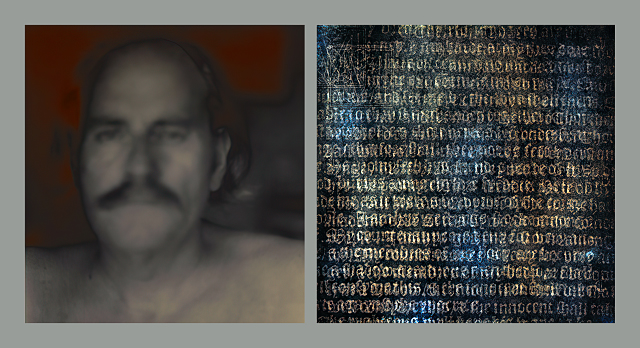
A brief video extract from this workshop’s Performing Photoshop session where Brush Work assumes a relationship with images as Objects, and thereby transcends the autographic simulation of something else.
STREAMED On-Demand Delivery
With Weekly Zoom Tutorials
This advanced workshop is attended via streamed on-demand delivery so the course material can be studied in your own time and at your own pace, while your practice and questions are subsequently addressed, clarified and supported in our weekly Zoom tutorials. The cost is AUD $350 including all fees and charges.
DETAILED MASTER CLASS OVERVIEW
Photoshop, though often characterised as a confusing, confidence sapping, overwhelmingly complex and even at times fearful experience, in the ‘right-hands’ is also capable of realising truly stunning images capable of conveying the deepest feelings, revelations and associations. To achieve this we prioritise sophisticated Photoshop techniques, logical and efficient workflows, and creative problem solving production strategies. It is designed for enthusiasts and professional photographers, artists and designers who want to appreciate, understand and apply Photoshop in ways that quickly and profoundly enhance their images.
Our Live Streamed Tutorials start with your current understanding and application of Photoshop. We then ensure you are working with the most appropriate tools, critical distinctions, and the production skills needed to significantly enhance your images, while working together resolving and perfecting your overall Photoshop workflow. And while a working knowledge of Photoshop is assumed, these outcomes can be successfully applied to any intermediate to advanced workflow. Our aim is to inspire, clarify, and facilitate your creative endeavours and artistic ambitions.
The workshop is presented in six recorded sessions plus tutorials, and is supported through weekly Zoom Tutorials and extensive resources – Notes, Essays, Videos, Test Files, Photoshop Actions, 3D LUTs, ICC Profiles – covering the following topics in a fully searchable database and accessed without restriction via the Workshop’s Resource Website.
Advancing Photoshop
• How does Photoshop contribute to your workflow?
• Making it believable – illusions and lies
• Colour Models versus Colour Gamuts
• Photoshop strengths and weaknesses
• Working Spaces – aims and objectives
• Seeing is believing – numerical correlation
Befriending Photoshop
• The famous five colour and density correction principles
• Prioritizing the right tools – sliders, nodes and blending modes
• RGB colour: Editing errors and curves that don’t work
• LAB colour: The advantages and disadvantages of working in CIE LAB
• CMYK colour: GCR, UCR, and Max GCR controls
• Saturation models: HSL, HSB, Vibrance
Imagining Photoshop
• The Drawing Composition (relational)
• The Tonal Composition (drama)
• The Colour Composition (mood)
• The Spatial and Temporal Compositions (metaphysical)
• Global vs. Local – presence, frequency, de convolution, distortion
• Divide and Conquer – separating luminosity and chromaticity strategies
Blending Photoshop
• Intensification and reduction controls – Lighten, Darken, Screen, Multiply
• Tone controls – Luminosity, Blend if Gray
• Colour controls – Color, Hue, Saturation
• Variable contrast controls – Soft Light, Overlay, Hard Light
• Stacking and alignment controls – Difference, Exclusion
• Gradation controls – Subtract, Add, Divide
Masking Photoshop
• Visual masks – node based masking
• Luminosity masks – brightness and intensity masking
• Chromaticity masks – hue and saturation masking
• Blend-If masks – highlight/shadow bump masking
• Relighting masks – tone equalization masking
• Isolation masks – Zone System masking
Performing Photoshop
• Resolving contradictions and clarifying intentions
• Harmony – toning, blending and staining
• Volume – Drawing with light, shade and shadows
• Presence – substituting Luminosity
• Staging – restoring the ‘missing’ 3rd dimension
• Agency – conjuring and coercing
The ‘Flipped Classroom’ facilitates a uniquely comprehensive yet individual learning experience where your creativity, knowledge and needs focus the inquiry, while your engagement and participation defines your outcomes. Our live-streamed Zoom Tutorials are designed to maximise our time together clarifying the course content and answering any follow-up questions and topics.
Venue: STREAMED On-Demand delivery
Duration: 10+ hours (workshop & tutorials)
Resources: Extensive course notes, videos, test images, actions, macros, luts
Cost: AUD $350 (includes all fees and charges)
More Information: See FAQ (Education)
Updated 04 March 2026